Put your real numbers on your own site
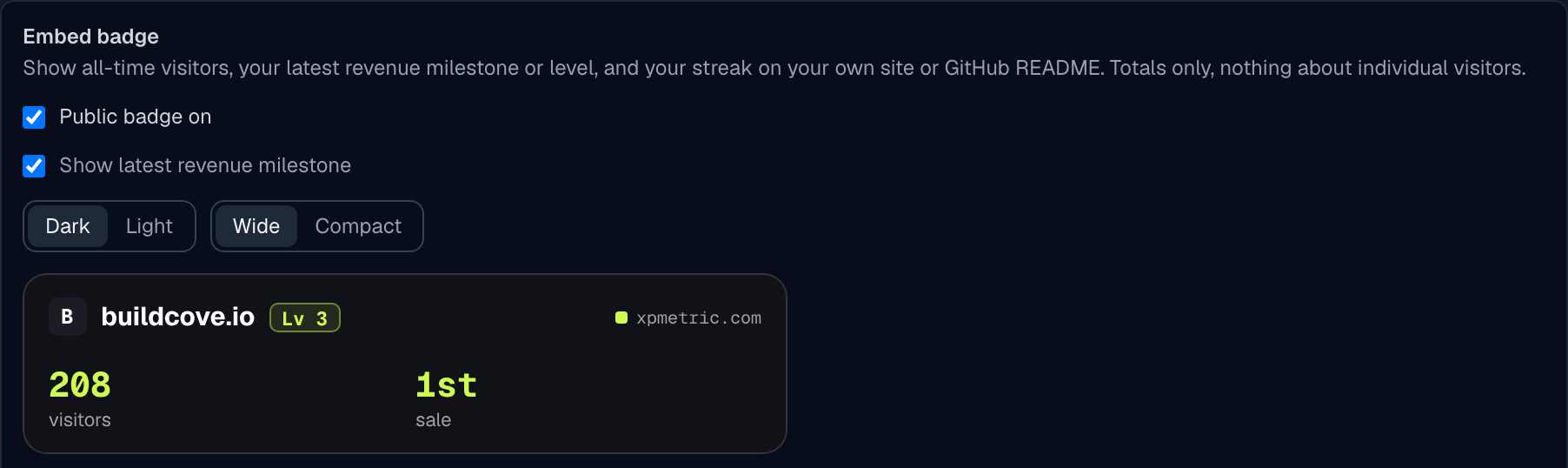
Your numbers can now live where people already find your product. Turn on the new embed badge for a site and paste it into your footer, your landing page or a GitHub README.
The badge shows your all-time visitors, your latest revenue milestone and your current streak, next to your site's icon, domain and level. No revenue yet? It shows your level instead. If your streak has lapsed, it leaves the streak out rather than showing an old number.
Pick dark or light, wide or compact, and copy the HTML or Markdown from Settings → Sites → Embed badge. There is a PNG link too, for places that do not allow SVG.
The badge is off until you turn it on, for each site. It only ever shows totals, never anything about individual visitors. Prefer to keep revenue private? Untick Show latest revenue milestone and the badge shows your level.
Numbers refresh about once an hour. If you switch a badge off, embedded copies change to a plain XPmetric badge within an hour, so nothing you pasted turns into a broken image.
Anyone who clicks the badge lands on a simple page with the same numbers.
Analytics that celebrate your wins. Free for 14 days, no card.
Start free trial →