Share cards that show your product and your real numbers
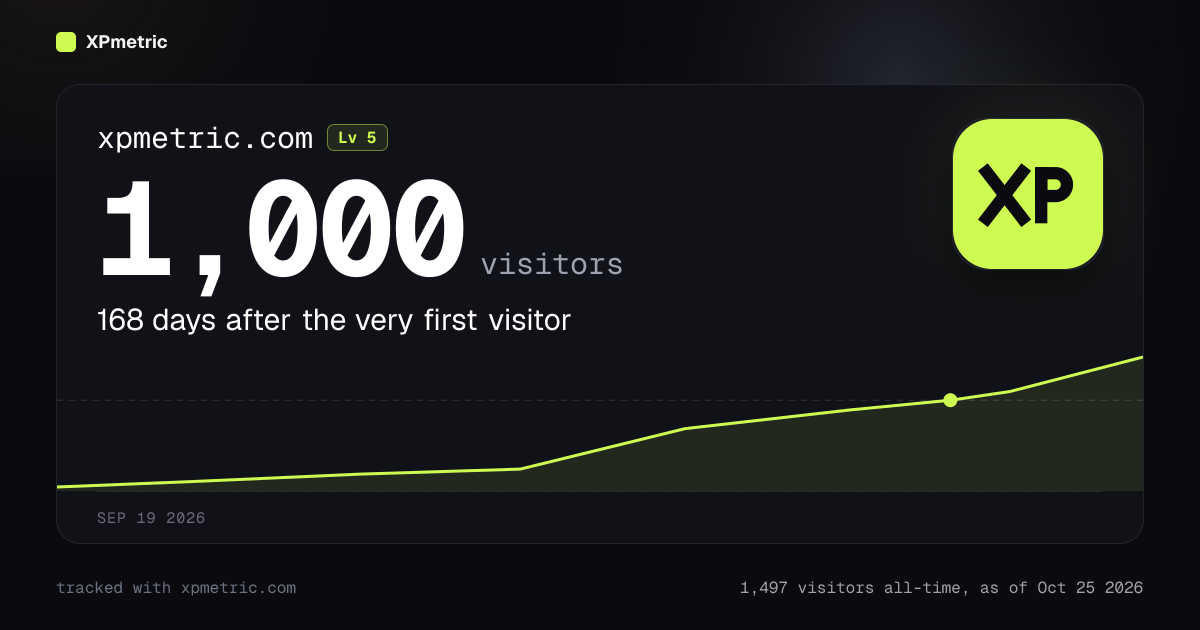
Hit 1,000 visitors, make your first sale or reach a new MRR and the card you share now looks like your product, not ours.
Your site's own icon sits top right, pulled from your site's apple-touch icon or favicon. If a site has none, the card shows a tile with the first letter of your domain. Your domain and level sit above the number, and the number itself is the biggest thing on the card.
Under it, one plain line tells the story: "168 days after the very first visitor". Below that is the real line from your first day to today, with a dot where you crossed the milestone. Traffic milestones plot your visitors or pageviews, sales milestones plot your sales, and MRR and subscriber milestones plot the snapshots we already store. A milestone that has no honest curve, like countries reached, simply skips the line.
The footer states a live number and the day it was taken, for example "1,497 visitors all-time, as of Oct 25 2026". The unlock date sits at the bottom of the card.
New first sales show the real amount, so a $29 first sale reads $29 first sale instead of "1st sale". The 500-visits-from-one-link card names the referrer, like 812 visits from news.ycombinator.com, and your first AI crawler card names who it was.
There are no tier labels and no points on the card. Only your numbers.
A card for your levels
When one of your sites reaches Level 5, 10, 15 or 20, you can now share it. The card says Level 10, names your site, and puts one real number next to it: your MRR once it is $100 or more, otherwise your all-time visitors. Under it, how many days after the very first visitor you got there.
Look for Share Level N under the level badge on the site's dashboard. Other levels stay private, because early levels arrive within weeks and mean little to anyone outside.
One card for everything you are building
The card you share from your dashboard is now about you, not a character. Share in the header of Your Sites posts "Stefan is building 4 sites": each site with its icon and level, your visitors all-time, your MRR (or total revenue until you have MRR), and three of your milestones, each with its site's icon.
Under Settings, Sites, Founder card you can hide revenue and pick which three milestones to show. By default it shows your three most recent. If you play the founder game, you keep the character card exactly as it was.
Analytics that celebrate your wins. Free for 14 days, no card.
Start free trial →