A funnel builder you can actually read
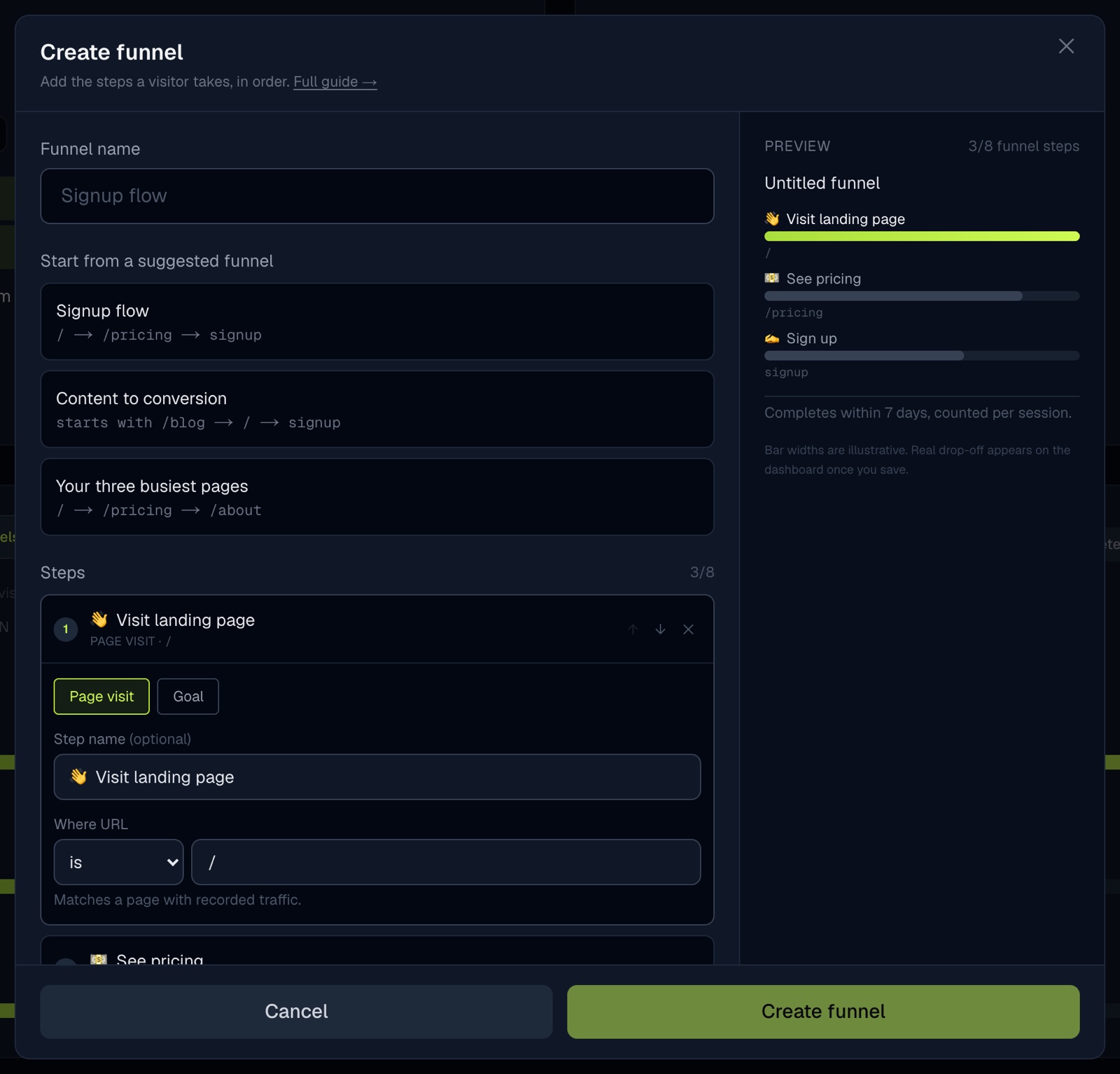
Building a funnel used to mean scrolling one tall column of form fields, deciding what "window (hours)" and "scope" meant before you had added a single step, and picking paths out of a wall of chips repeated under every step.
The builder is now two panes. On the left you add one step at a time. On the right you watch the funnel take shape as you type.
Name your steps
Every step can carry a name like 👋 Visit landing page or 💰 Pay. Named steps show up on the dashboard chart and in the funnel picker, so a funnel reads like the journey it describes instead of a list of URLs.
Match more than one page
A page step is no longer stuck on a single exact path. Pick is, contains, or starts with:
starts with /blogcounts every article as one entry stepcontains /checkoutcatches the checkout page on every locale prefix
A visitor who reads three blog posts still counts once. If your site serves several hostnames, each step can also be pinned to one of them.
Start from a suggestion
Open the builder on a site with traffic and it offers funnels built from your own pages and goals, ready to save or edit. Quick-add chips do the same for individual steps.
Window and scope moved into an Advanced section with plain wording and presets, so they are there when you need them and out of the way when you do not. Each step tells you right away whether it matches any recorded page, which catches a typo before you save rather than after a day of empty numbers.
Existing funnels keep working exactly as they did.
Analytics that celebrate your wins. Free for 14 days, no card.
Start free trial →